Posts mit dem Label rhinoscript werden angezeigt. Alle Posts anzeigen

Sonntag, 21. November 2010

Frei Otto's wool path

One thing in the architecture world that amazes me is the use of Physics simulation in architecture design. I am myself have been busy with tension active system for two years now, and it's alot of fun. From what I learned, I never know who is the originally-very first architect who use this technique. But about almost one hundred years ago, an architect from Barcelona used hanging chains for his design. His name was Antonio Gaudi. Before him there was actually an architect that also used tensile steel for his building. He wasn't as famous as Gaudi, his name was Vladimir Shukhov. This technique is further developed and researched properly in the University of Stuttgart in 1980's by Frei Otto which he later perfected and used for German pavilion at Expo 67 in Montreal and the 1972 Summer Olympics in Munich.

What I try to simulate in the video is the form finding technique (minimal path) with wool thread develop for a thesis by Marek Kolodziejczyk.

The Software is rhino and Kangaroo from Daniel Piker. The simulation created by using particle to interact with each other and connect them to become interpolated curve. Have fun.

Please see Daniel Piker's page: spacesymmetrystructure, for more awesome simulation.

Donnerstag, 18. November 2010

Attractor again

 
Attractor is certainly quite fun to play with. This grasshopper definition basically subset the surface and apply component on each surface. The height and opening of the component is controlled by attractor point.


Another possible variation, surface with seams


Anyway... Have fun..
By the way, I got a processing workshop at 9.30 tomorrow... very excited... I actually need to learn the processing for it's capacity of physics simulation...

Sonntag, 14. November 2010

Attractor System


Quite a simple one. What the script does is basically populate the surface with circles, where the circle radius are controlled by the distance of the circle center point to the attractor.

For the script to work, a single NURBS surface is necessary.


This is an example of the surface that would work.


After Surface population...
The Process of surface population in video.


Surface Play with Loft Method


Continuing last post about surface play. Another way to play with the surface creation is with the loft method, where we don't put the polygons on every 4 corner points, but by creating interpolated curve on every tree branch, then loft it. With this method we are able to create one single NURBS surface, which is preferrable for further manipulation with attractor.

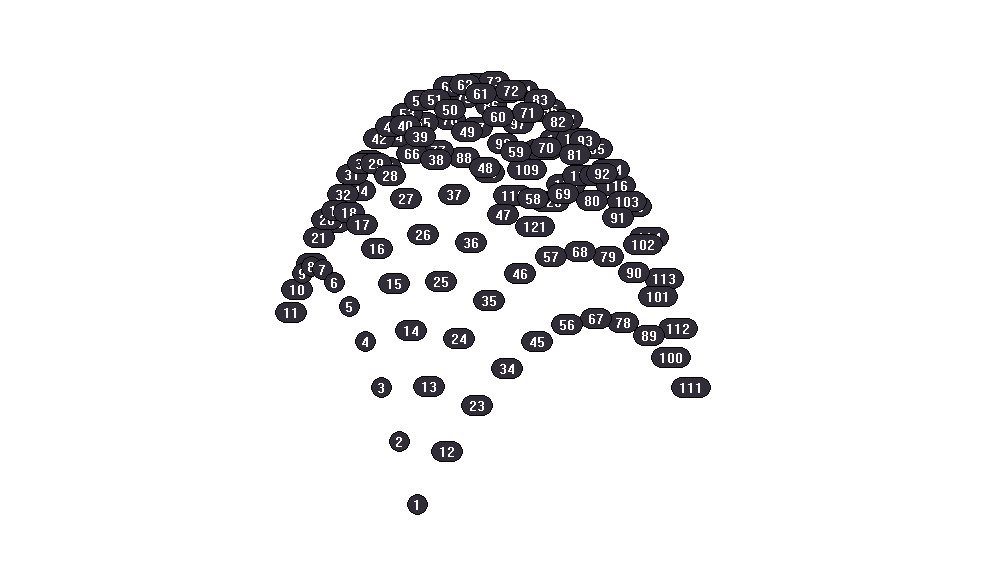
See the data tree branch here (red represent the index grid points and blue represent the index of the tree):


Although, I feel like by indexing the points this way, the coordination of the points with each other could be quite messy.


I will continue to apply some attractor to the surface in the next post.. It'll be fun...

Freitag, 12. November 2010

Surface Play

This is a project for my rhinoscripting class at the University of Stuttgart. The Script basically creates surface by manipulating the Z value with mathematical equation derived from x and y. It's amazing how many surface variation can be created by this method

The creation of the surface is based on the arrangement of 2 Dimensional Matrix points.
Nurbs surfaces are then added parametrically from four points of the matrix.

The script also able to control the size and the curvature of the surface.


            Select Case strSrfType
               
                Case 0
                    x=i
                    y=j
                    z=dblFactor*5*sin(x)+dblFactor*5*sin(y)
                           
                Case 1                   
                    x=i
                    y=j
                    z=-dblFactor*(x^2)-dblFactor*(y^2)
                           
                Case 2                   
                    x=i
                    y=j
                    z=dblFactor*x*y
           
                Case 3                   
                    x=i
                    y=j
                    z=dblFactor*5*cos(sqr(x^2+y^2))
               
                Case 4                   
                    x=i
                    y=j
                    z=-dblFactor*20*Atn(x^2+y^2)
                       
                Case 5                   
                    x=i
                    y=j
                    z=dblFactor*8*log(sin(x)+sin(y)+2.01)
               
             
            End Select